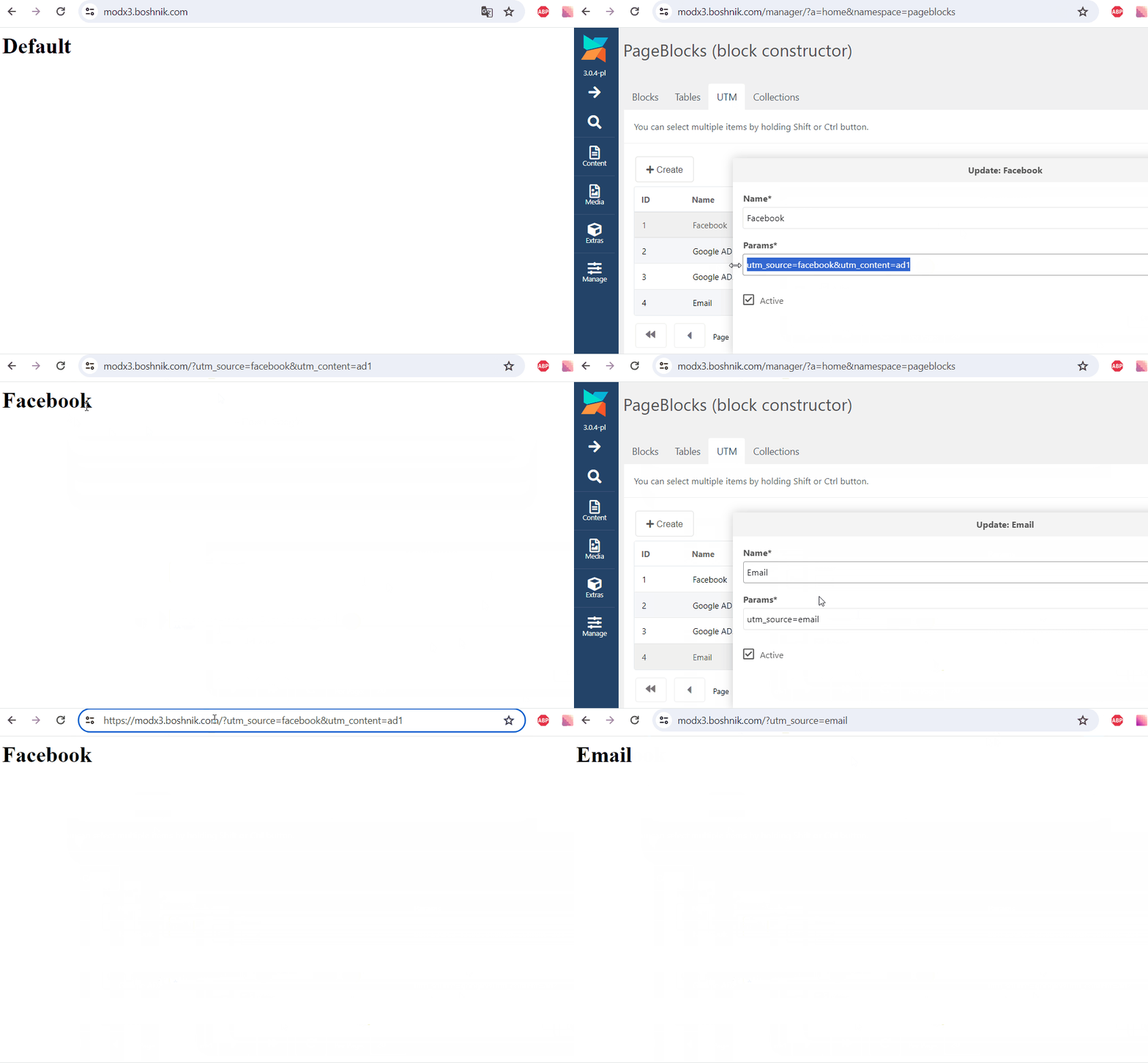
UTM (PRO)
Show a different block depending on where the visitor came from. A UTM tag is a named set of query parameters; a block tied to one appears only when the address matches.
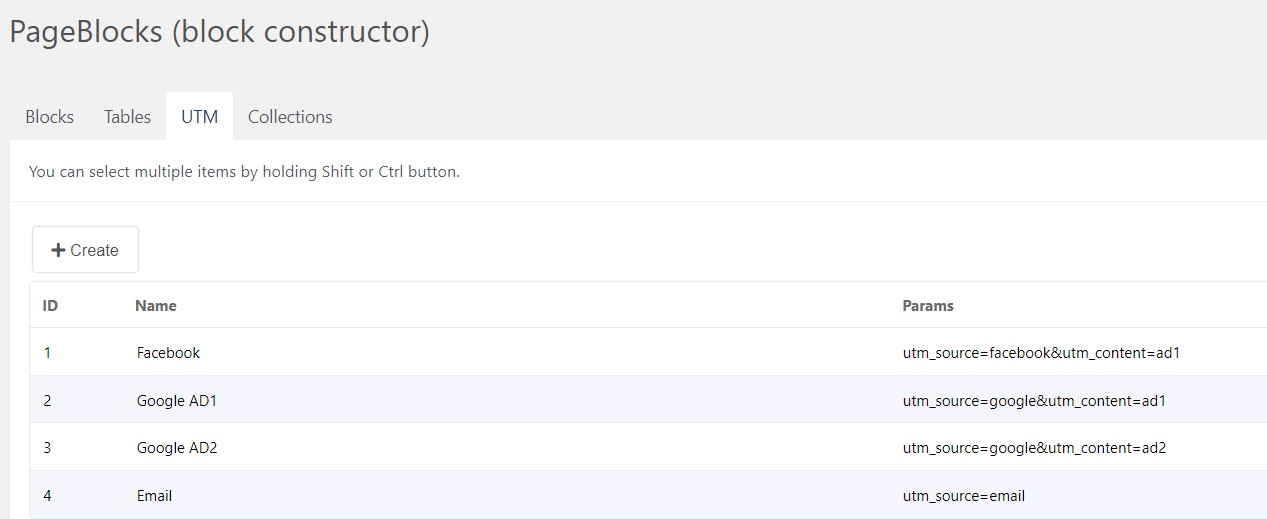
PageBlocks → Constructor → UTM.
Not wired up in 3.0 — tags can be created, nothing acts on them
The tag list works and the rows are stored, but the two halves that would make it do something are not connected in this release: the UTM selector in the block list is behind a pageblocks_development_mode setting the package does not install, so a block's utm_id stays 0; and pbBlocks renders every published block of the page without looking at UTM at all.
So do not plan a campaign around this page yet. Until it is finished, serve campaign-specific content by other means — a separate page, or a condition in the chunk.
A tag
| Setting | What it does |
|---|---|
| Name | What you pick from the list when attaching a block |
| Parameters | The query parameters that must match |
| Order | Position in the list |
| Published | An unpublished tag matches nothing |
A tag is only a name for a condition. Which visitor sees which block is decided where the block is attached to the page.
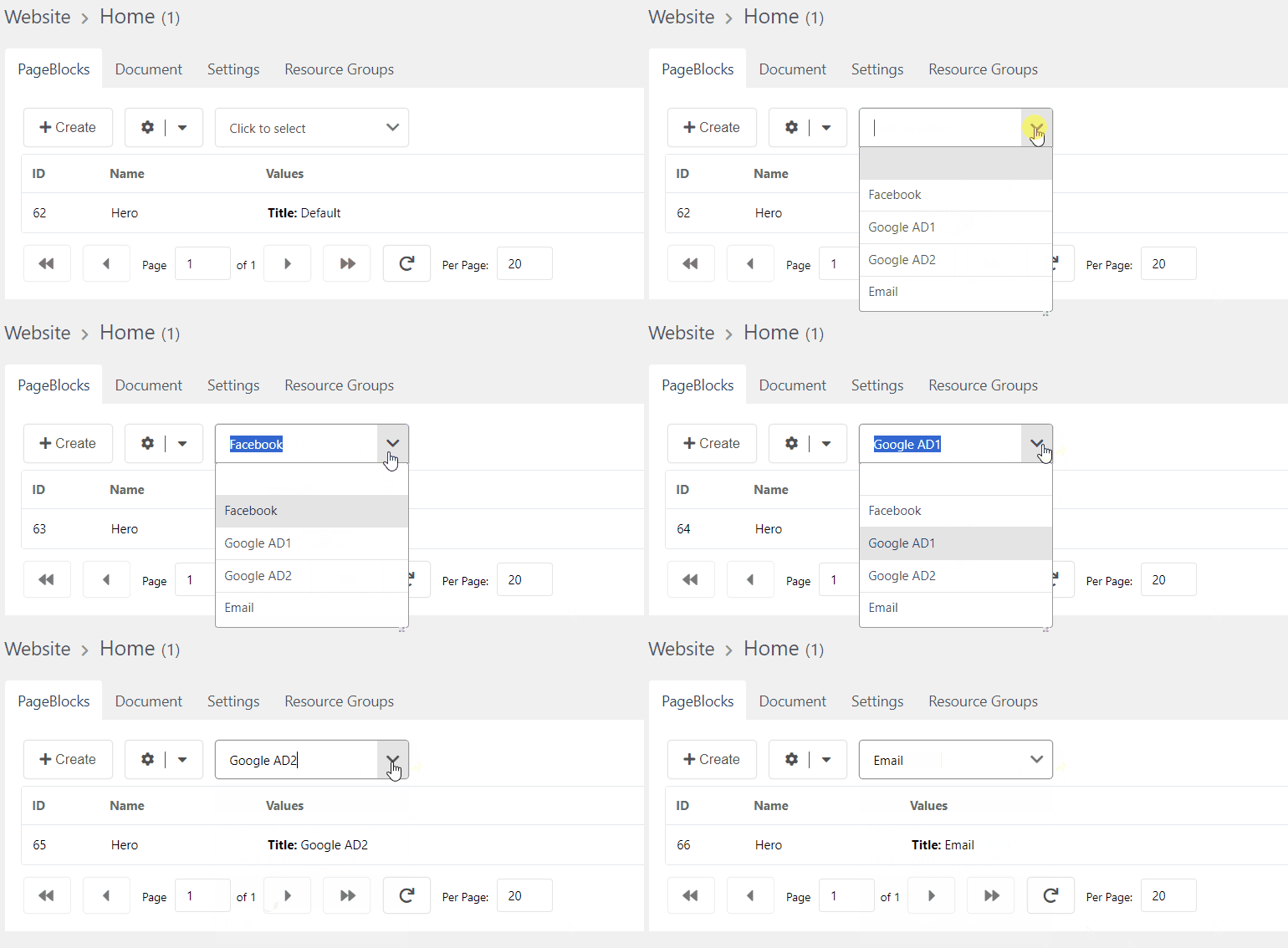
A block with no tag is always shown
Tagging is opt-in — an empty field is the normal case, not a missing setting. Reach for UTM only when a block genuinely differs by campaign: a headline for one ad group, a promo for one channel.
Create UTM tags and attach the necessary parameters to them.
Resource:
Now, depending on the GET parameters, you will see the corresponding block.