Copying
Who is allowed to copy
All three operations are in the free edition. But they are not equally open: copying a block by id goes to data/blocks/copy, which only asks for a manager session, while copying the blocks of a resource and copying between contexts both go to data/blocks/copy-from-resource, which is additionally guarded by SudoOnly — it takes the sudo flag or membership of the Administrator group, and answers 403 to anyone else.
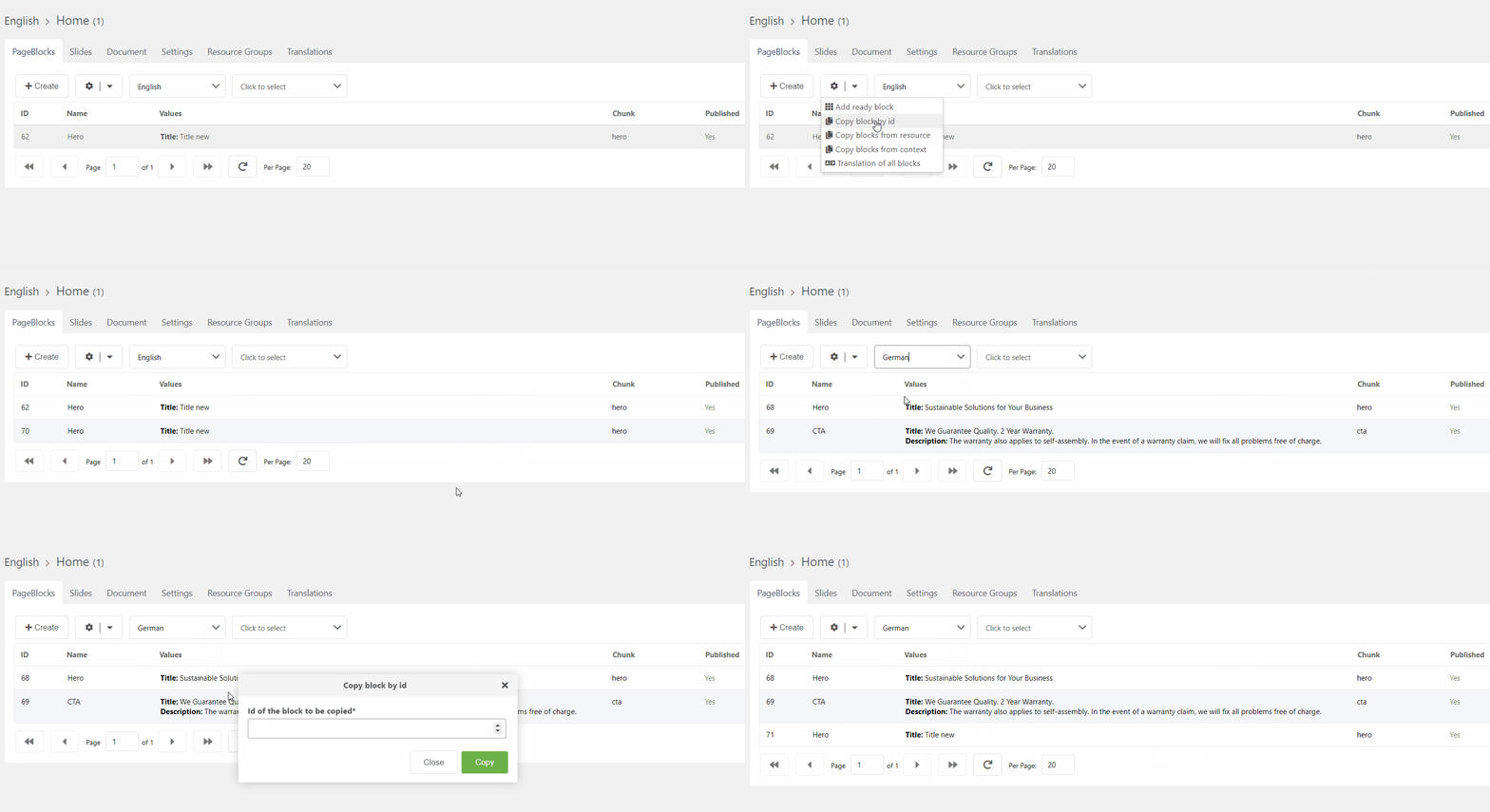
Copy block by id
Knowing the id of the block you can copy it anywhere you want.
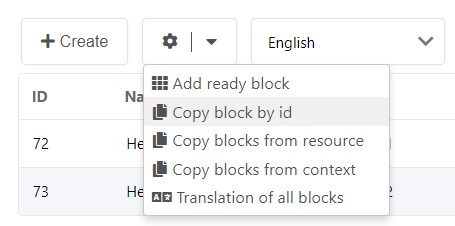
Example:
Copying resource blocks
Sometimes, it's useful to copy all the blocks of a resource into another resource, taking into account the context of the blocks.
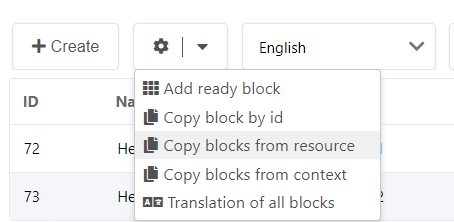
Example:
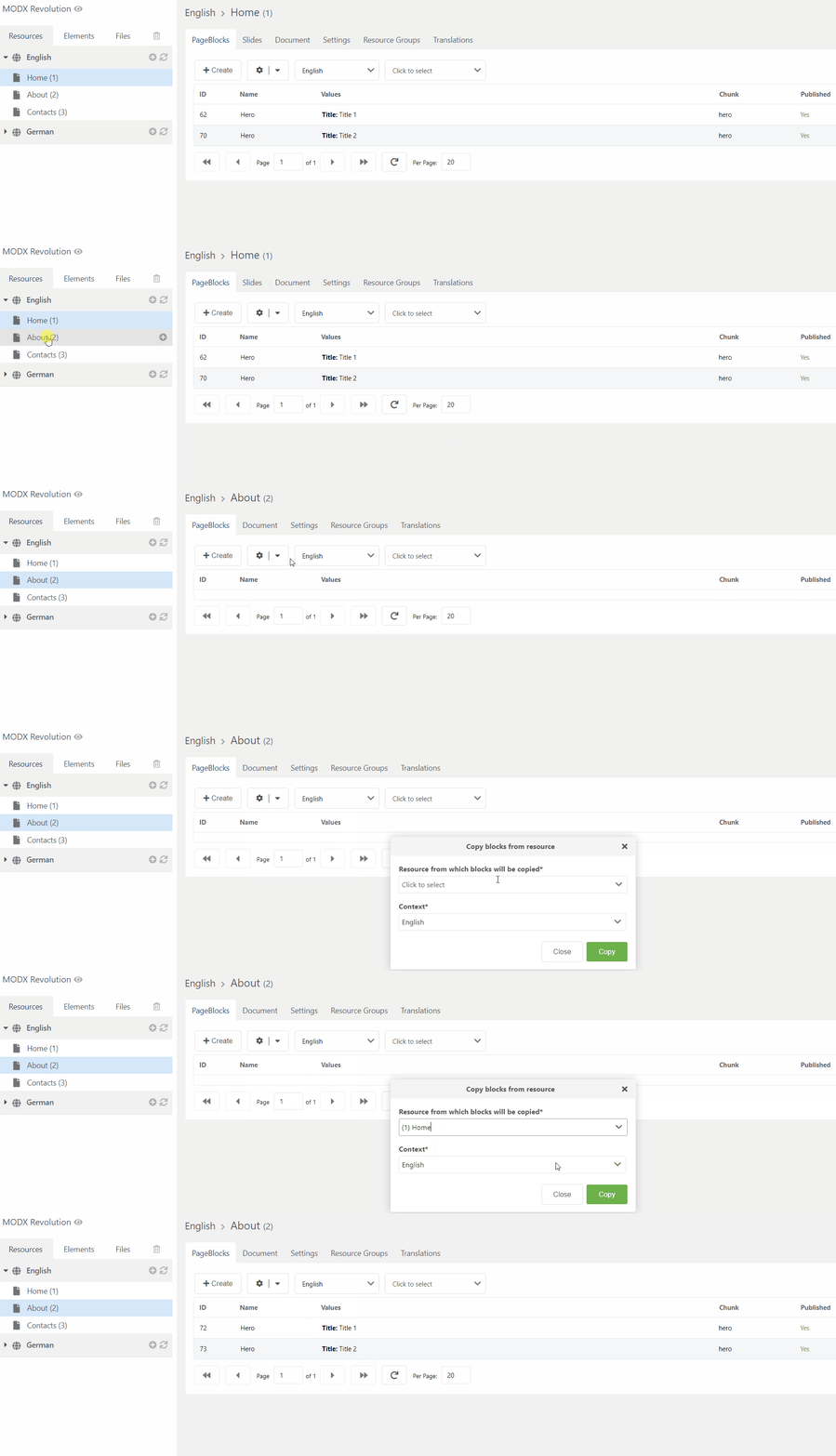
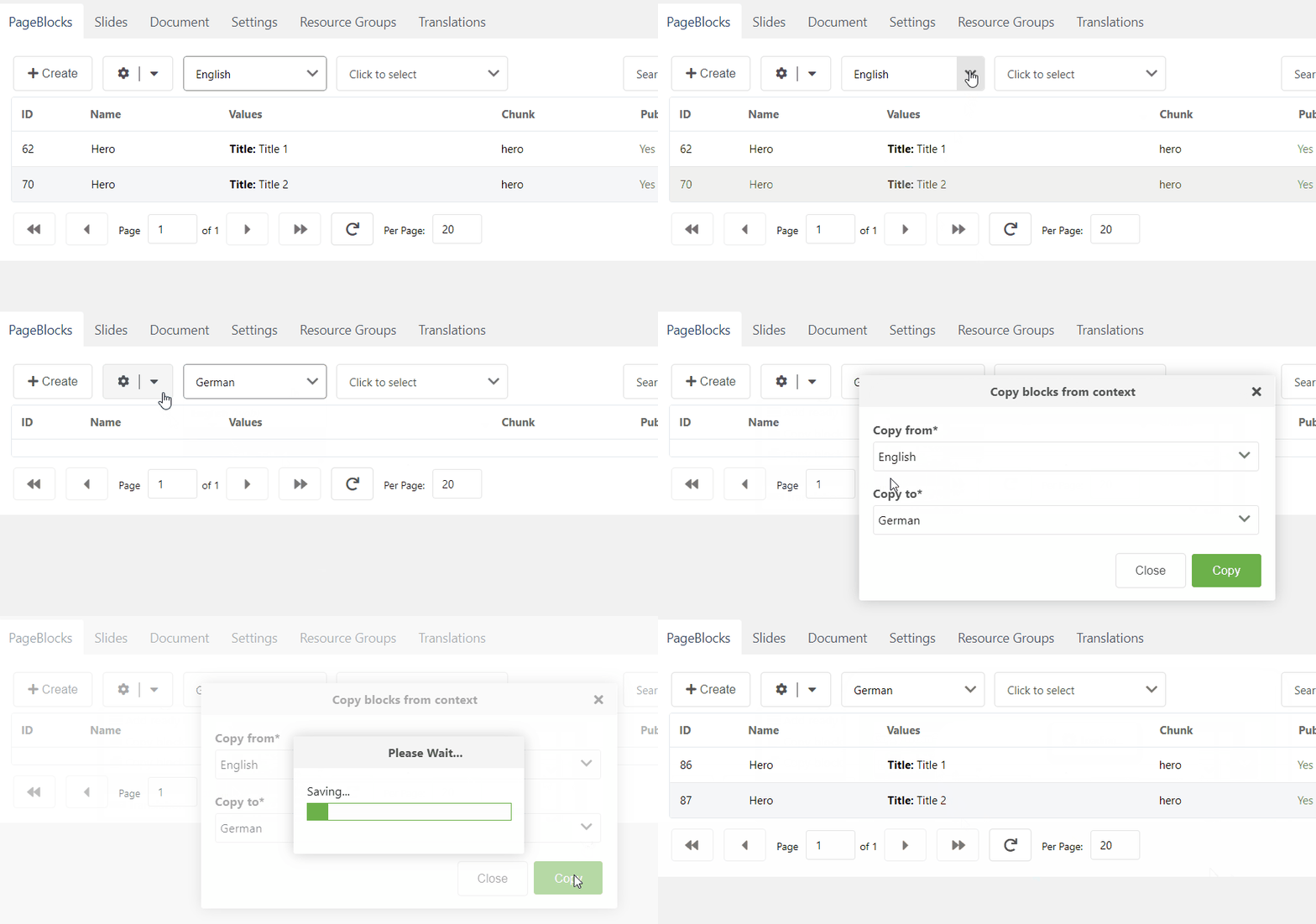
Copying blocks from one context to another
Also, when you have multilingual support, it's convenient to copy all the blocks from one context to another and then translate the blocks.
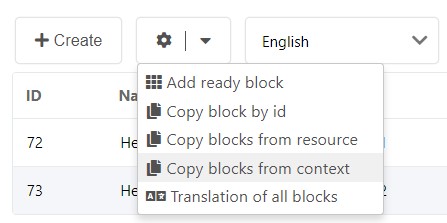
Example: